Product release story map
Plan priorities and releases from goals and activities to user stories.
Use NuromBoard to place goals, activities, tasks, user stories, and release scope in one map, ideal for requirements breakdowns, MVP planning, and cross-team reviews.
Build the backbone and story layers for requirements or releases, then refine priorities and scope.
Plan priorities and releases from goals and activities to user stories.
Break complex requirements into a backbone, task flows, and actionable user stories.
Help product, design, and engineering align on scope, dependencies, and delivery cadence.
Add business goals, user scenarios, or PRD snippets and AI will build activities, tasks, and story layers.
Start free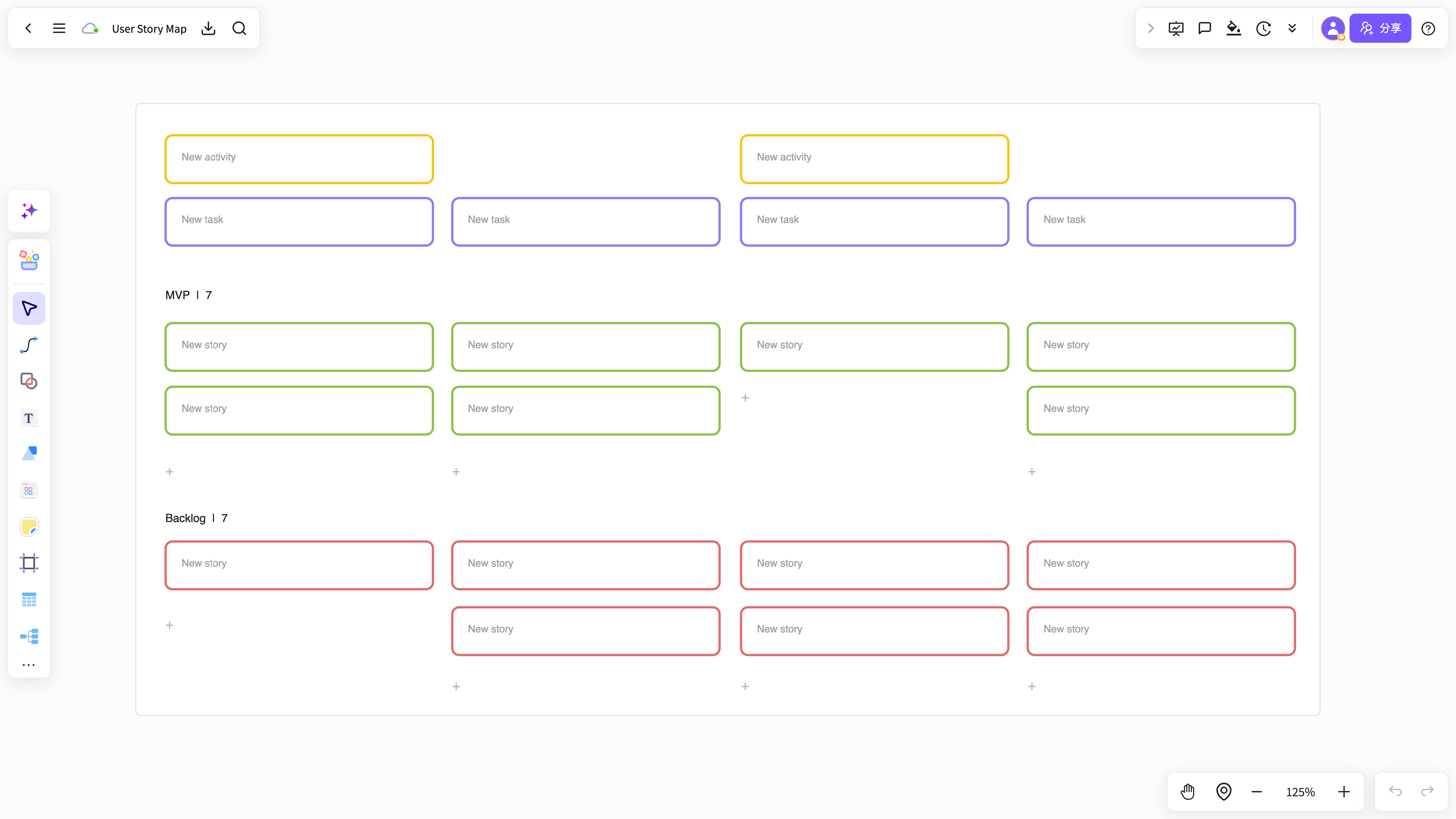
See the backbone, tasks, stories, MVP, and later releases together for planning and review.
Start free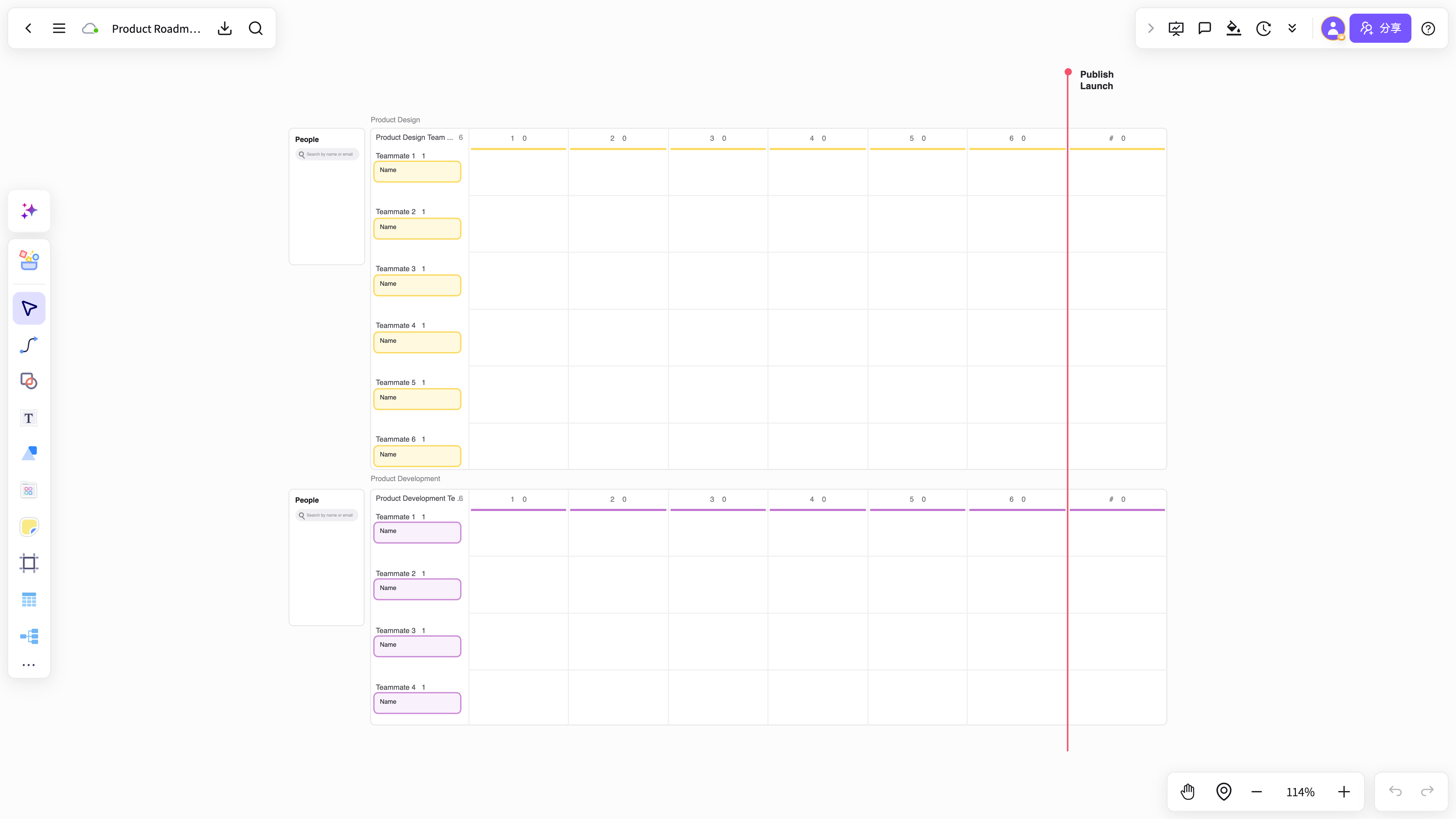
Add notes, comment on dependencies, organize follow-ups, and capture decisions beside the story map.
Start free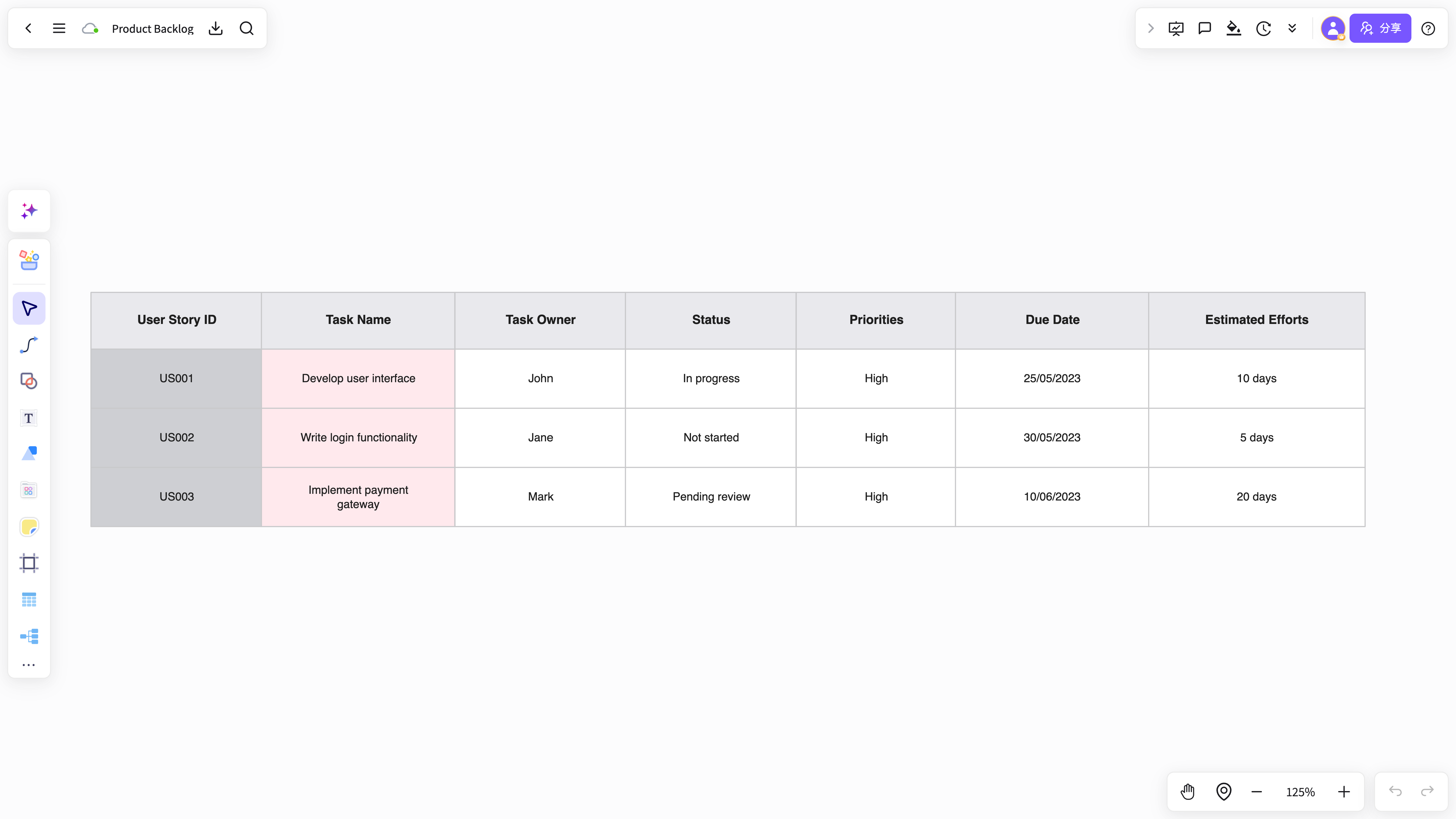
From AI-generated maps to release reviews, dependency mapping, and captured decisions, make planning complete.
Build a first structure from user goals and key activities to user stories.
Organize MVP, later releases, importance, and dependencies in one map.
Product, design, engineering, and operations can add feedback and decisions to the same story map.
Add background, goals, risks, and acceptance notes beside the story map.
Discuss, arrange, and present in one workspace without moving content between tools.
Reuse completed story map structures for product planning and requirements reviews.
Generate story maps, add context, collaborate, and align the output in NuromBoard to move product planning forward.
Start free onlineAnswers about workflows, collaboration, and structure that lasts after the meeting.
User story map helps with brainstorming, planning, business analysis, project work, and team collaboration when ideas and materials need to become a clear, editable result.
NuromBoard turns documents and meetings into editable structures on one shared working file — so User story map moves from a draft into something the team keeps refining after the session.
Yes. Teams edit together, leave feedback, share work online, and review versions on the same working file so discussion and decisions stay connected after the meeting.
Yes. Consultants use User story map alongside frameworks like SWOT, PEST, and competitor analysis to structure findings and present recommendations, and teams can invite clients to review the same shared working file.