Common input material
PDF documentsHighlighted passagesMargin commentsExtracted excerptsOpen reading questions
Annotating a PDF is only the first step of organising your reading. The real value comes from turning highlights, margin notes and excerpts into themes, hierarchy and argument structure you can come back to.
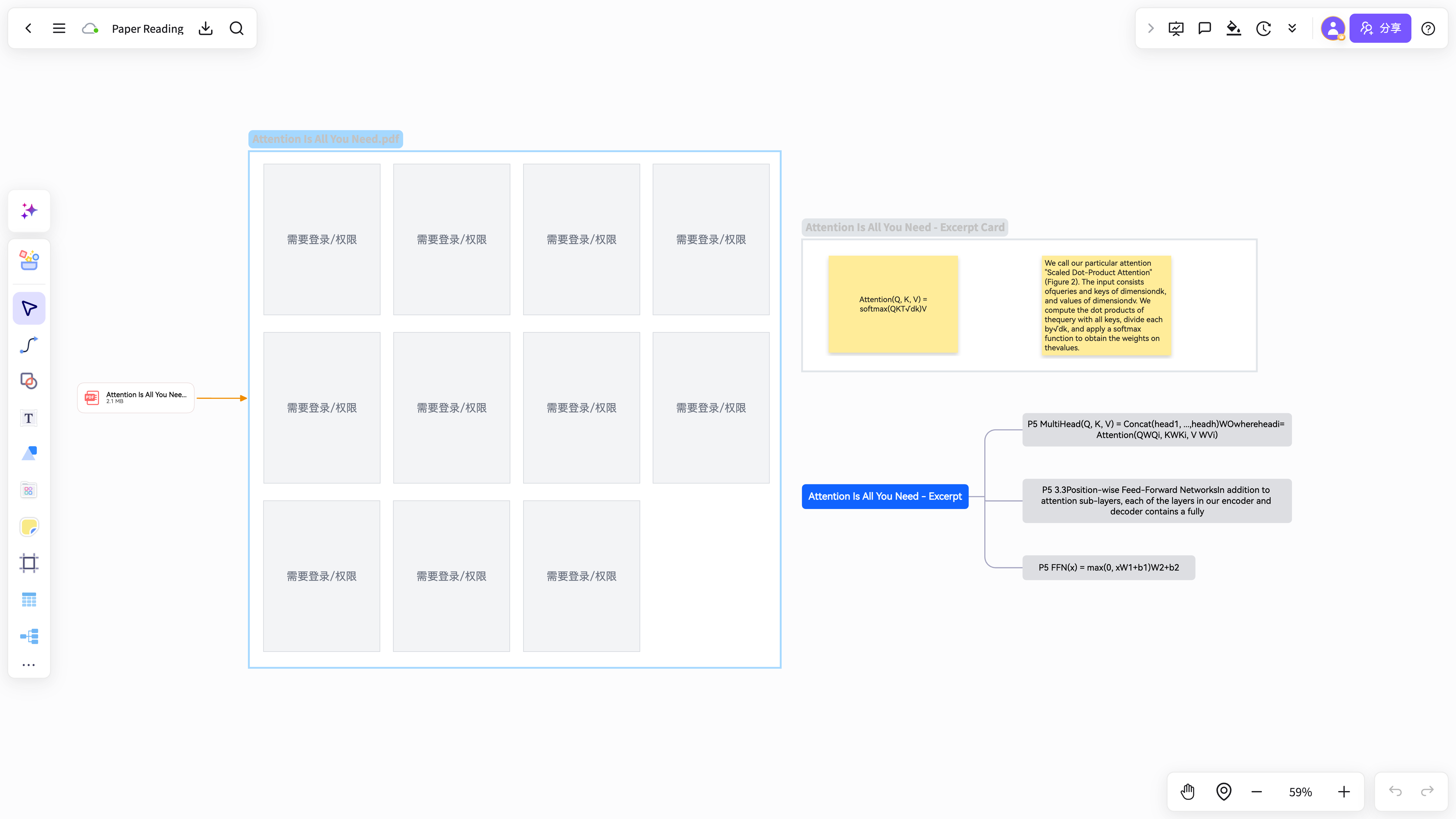
Highlights stay buried inside the PDF, so when you revise or write you still have to search the source again.
Without excerpting and grouping first, the mind map floods with background context and minor details.
A mind map on its own drops the original context, so you can no longer tell what each claim was based on.
Mark key concepts, conclusions, formulas, cases and open questions as you read.
Gather highlights and annotations into excerpt material you can actually organise.
Generate a mind map by theme, chapter, question or argument, then keep editing it.
NuromBoard takes you straight from PDF reading into mind maps, cards and project material.
The mind map is not a loose image: it stays stored together with excerpts, source text and project files.
Turns highlights and excerpts into a structured mind map.
View and use the template →Made for reading and organising research paper PDFs.
View and use the template →The scenario page answers how the work starts; the method articles continue with the steps, the criteria, and where NuromBoard fits.
A mind map groups annotated content by theme and level, which makes it far easier to reuse when revising, writing or presenting.
You can keep the PDF, excerpts, mind map and project material in one project, so the map does not drift away from its sources.