Product release flow
Convert Mermaid flow syntax into a presentation-ready, editable release process diagram.
Convert Mermaid flow, sequence, relationship, and structure syntax into editable diagrams. Refine layouts, add context, collaborate, and save templates so code-based diagrams fit your team workflow.
From technical to business diagrams, keep editing, presenting, and collaborating after conversion.
Convert Mermaid flow syntax into a presentation-ready, editable release process diagram.
Clarify API calls, return paths, and exception branches in a technical diagram.
Map module relationships, dependencies, and deployment structures on one page.
Continue refining conditions, approval branches, and business fallbacks.
Convert Mermaid syntax into editable nodes and links, then change titles, add notes, adjust layouts, and include screenshots.
Generate now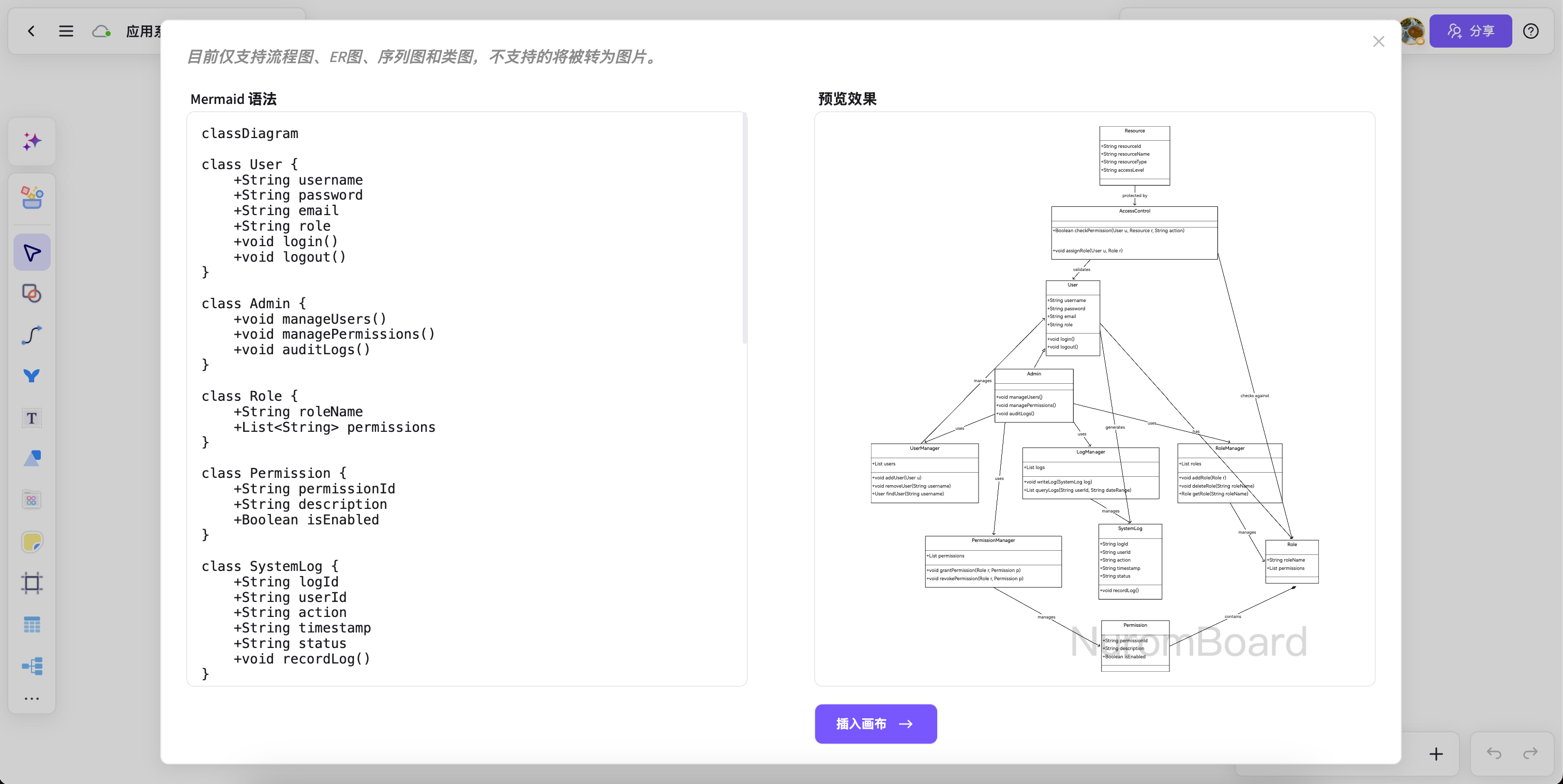
Keep the structure logic beside annotations, conclusions, and source cards for reviews, requirements, and architecture discussions.
Generate now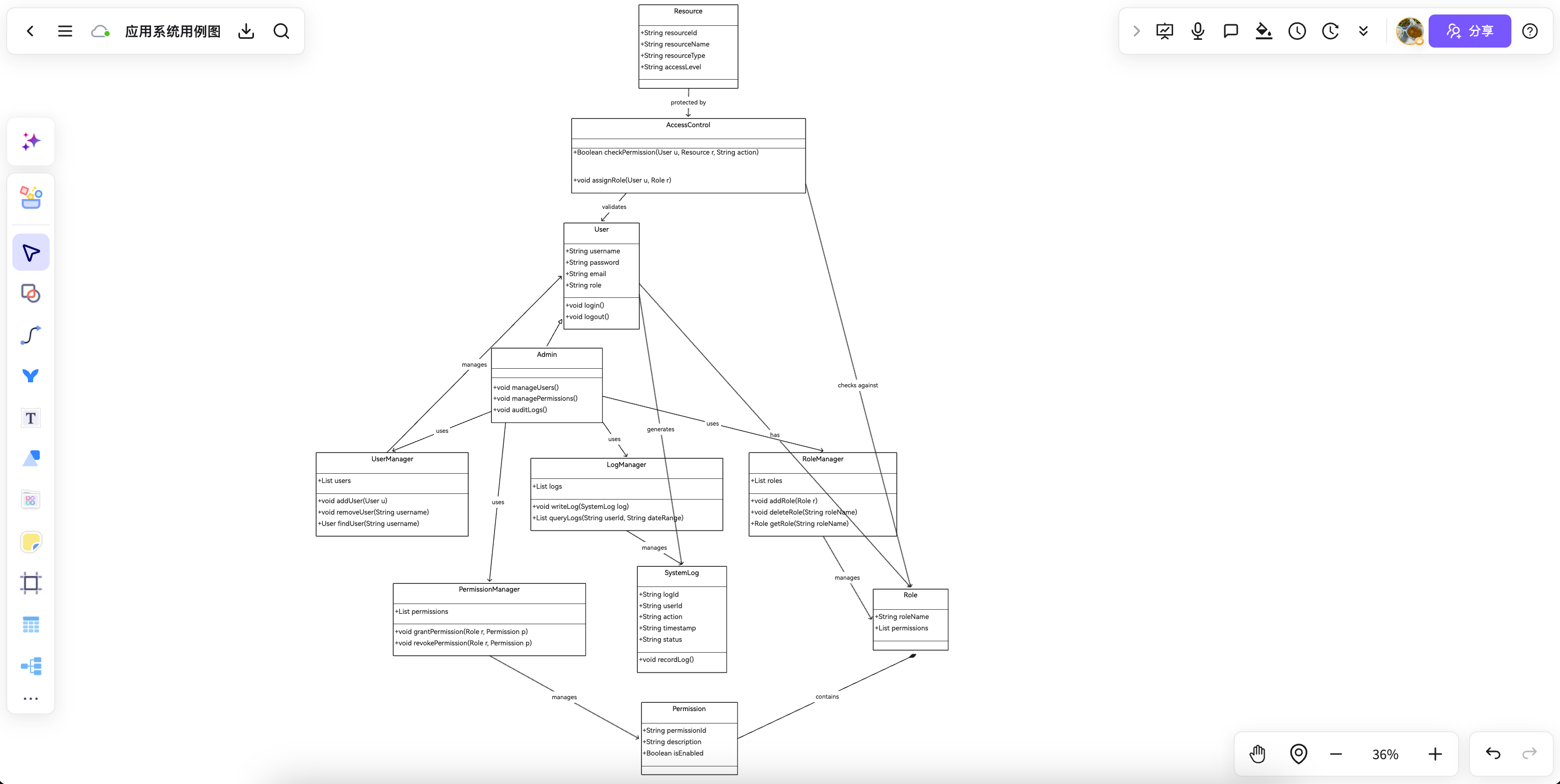
After generating flow, relationship, or structure diagrams, keep commenting, sharing, and saving templates.
Generate now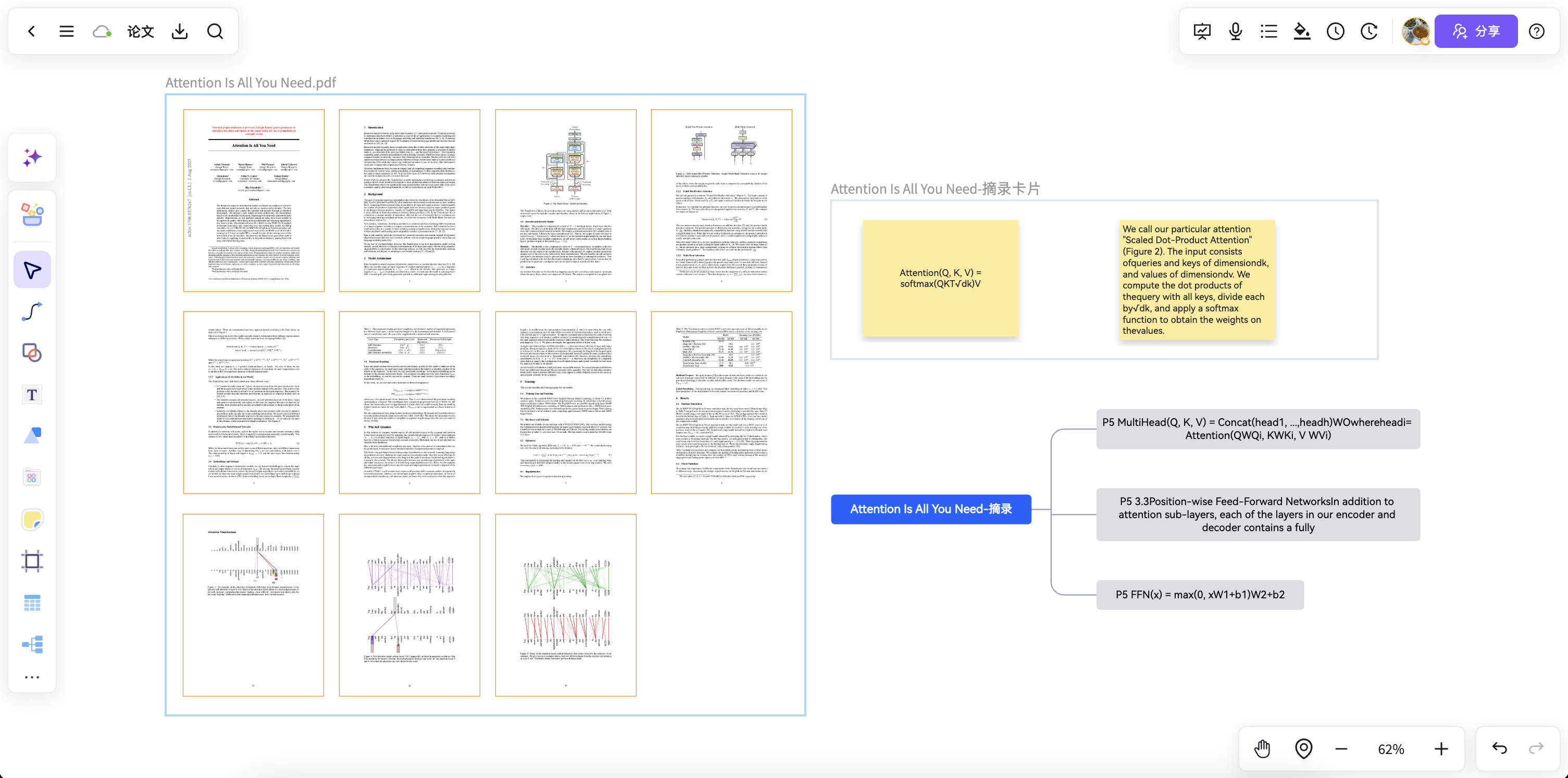
Turn product process notes and Mermaid drafts into presentation-ready diagrams.
Bring service dependencies, module relationships, and call paths to the canvas for iteration.
Engineering, QA, and product teams can add annotations, conclusions, and risks to one diagram.
Complete technical explanations, business walkthroughs, and team co-creation on one canvas.
Answers about workflows, collaboration, and structure that lasts after the meeting.
Mermaid to diagram helps with brainstorming, planning, business analysis, project work, and team collaboration when ideas and materials need to become a clear, editable result.
NuromBoard turns documents and meetings into editable structures on one shared working file — so Mermaid to diagram moves from a draft into something the team keeps refining after the session.
Yes. Teams edit together, leave feedback, share work online, and review versions on the same working file so discussion and decisions stay connected after the meeting.
Yes. Consultants use Mermaid to diagram alongside frameworks like SWOT, PEST, and competitor analysis to structure findings and present recommendations, and teams can invite clients to review the same shared working file.