Describe your business, API design, or system sketch and get an editable UML structure.
Online UML diagram maker for clearer system design
Use NuromBoard to create UML diagrams. Generate class, sequence, use case, and activity diagram drafts with AI, then design, explain, and collaborate with a free personal plan.
Generate UML diagrams from business flows, API designs, system plans, and technical documents
UserService+ login() / + logout()
AuthController+ authenticate()
OrderFlowcreate / pay / callback
Activity Nodeif paid → deliver
UML
Start faster with class, sequence, use case, and activity diagrams for technical communication and presentations.
Product, engineering, and QA teams can add relationships, annotations, and supporting context together.
Professional UML modeling made easier
Start with a familiar UML diagram type, then refine it around your system structure and communication needs.
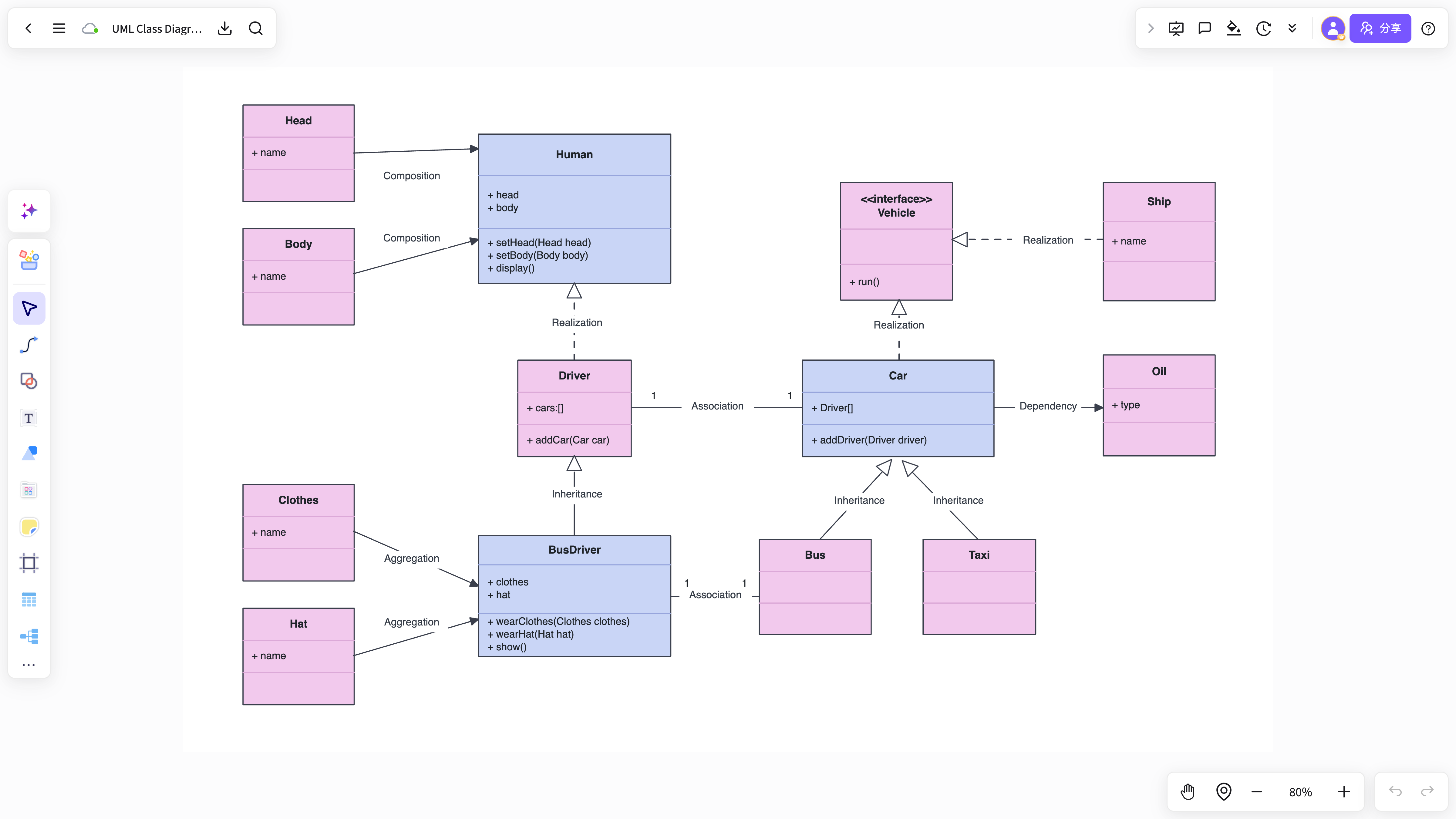
UML class diagramClasses / attributes / methods / inheritance
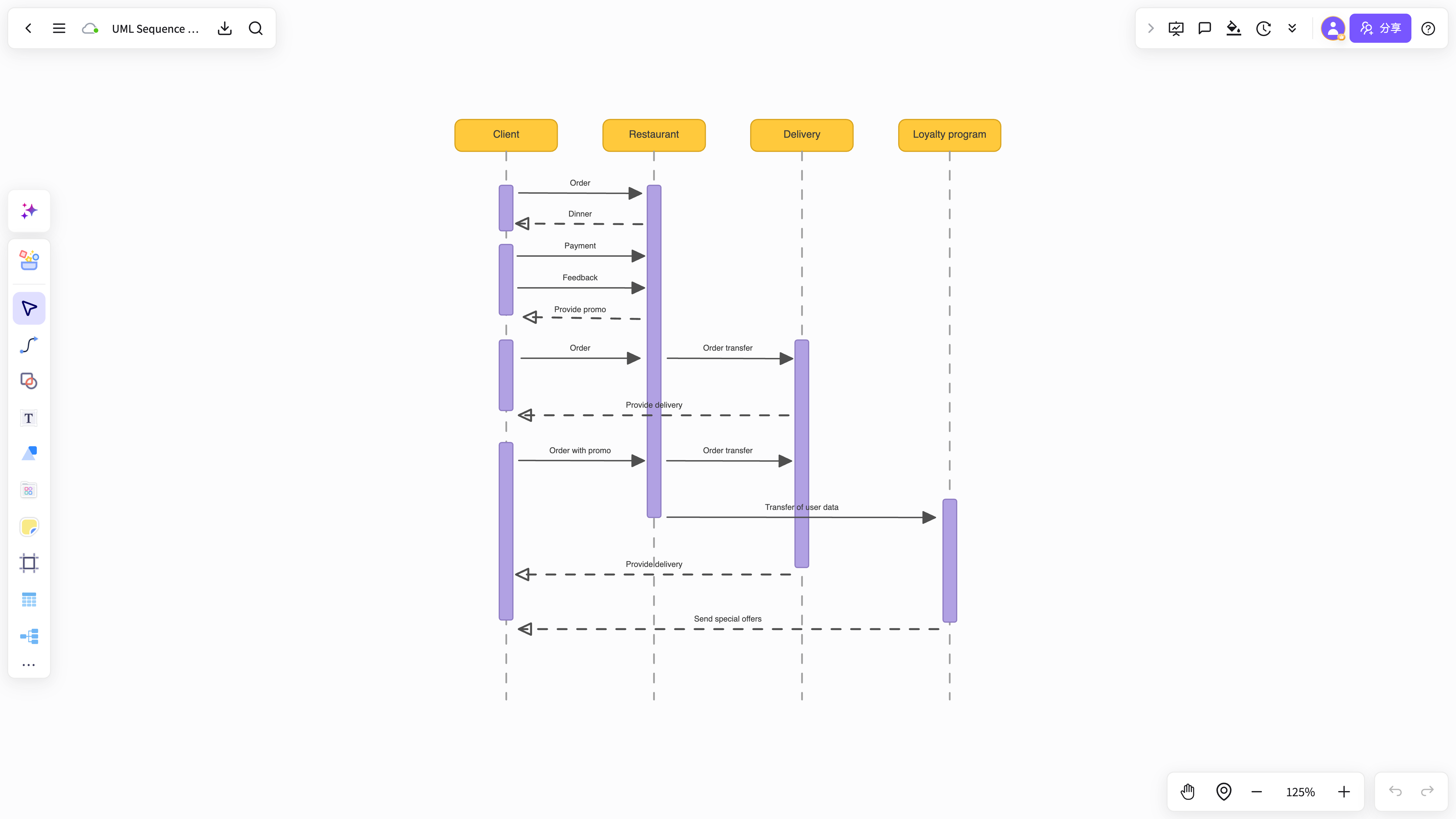
UML sequence diagramObject interactions / calls / return paths
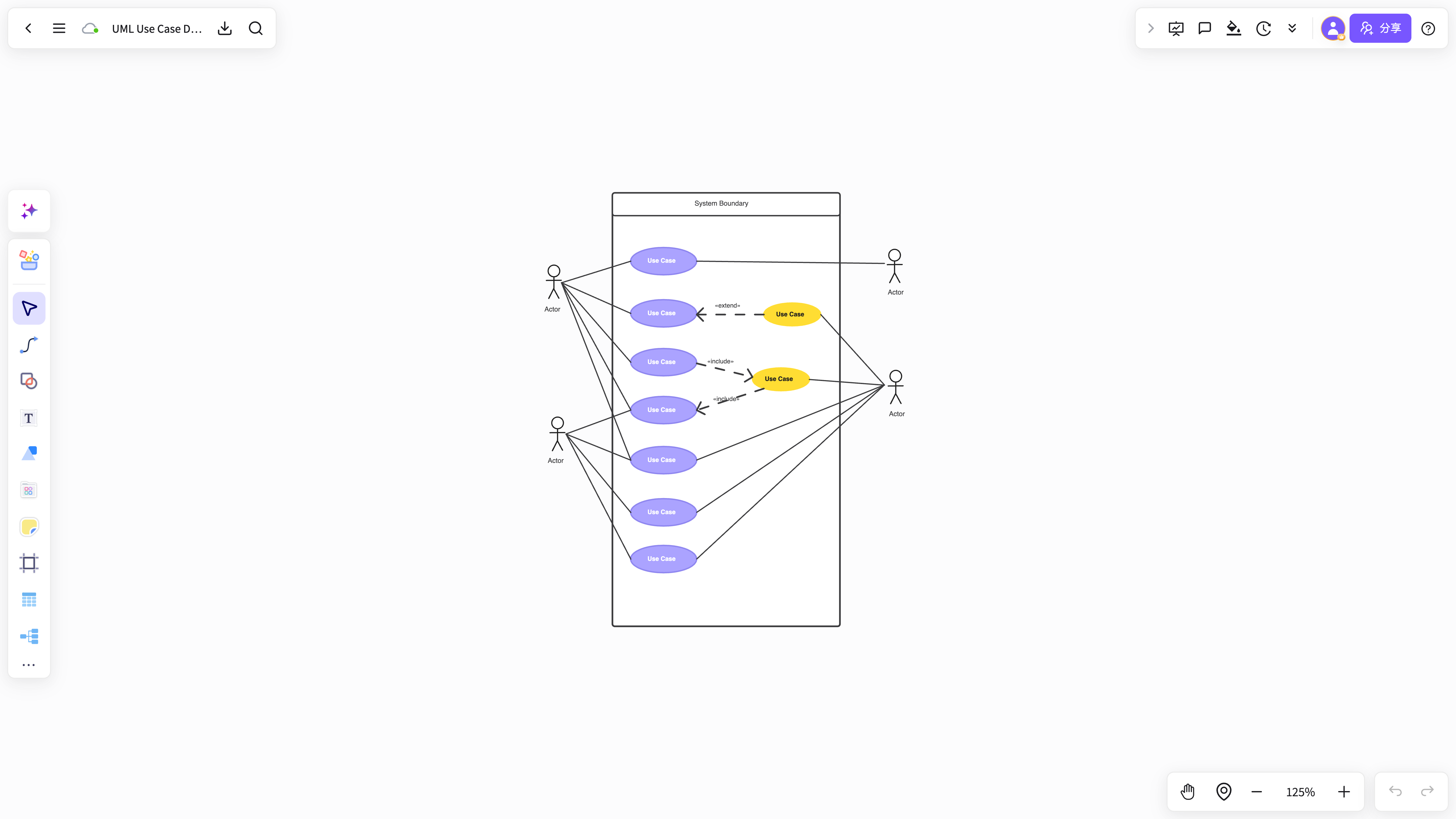
UML use case diagramActors / system boundaries / core use cases
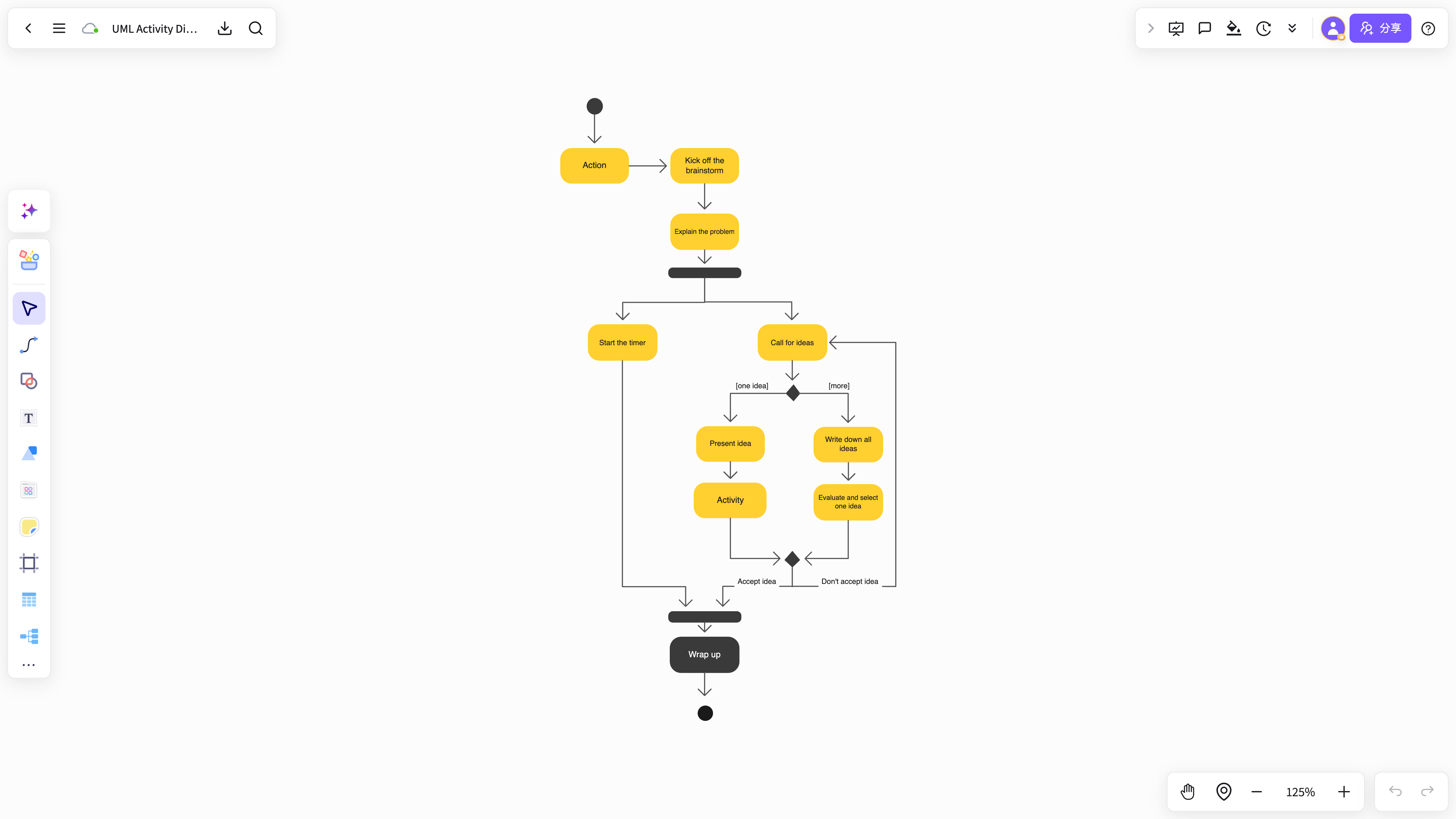
UML activity diagramState transitions / decision nodes / execution paths
Make modeling and technical communication more efficient
From system design and API interactions to process explanations, NuromBoard brings modeling, explanation, and review into one connected workflow.
List your system objects and flows
Extract actors, classes, methods, and interactions from PRDs, API notes, technical plans, or meeting records.
Let AI complete shapes and connections
Automatically fill in inheritance, dependencies, aggregation, call order, and decision nodes for a complete UML structure.
Continue reviewing and collaborating
After generating a UML diagram, add annotations, documents, and review discussions instead of exporting a static image.
Client
Gateway
Service
Repository
Rich UML symbols with custom styling
Combine common UML modeling elements quickly while keeping node styles, connectors, and color hierarchy consistent.
No downloads, cross-platform sync, cloud storage
Edit and share UML diagrams in your browser while teammates view, revise, and review them in real time.
Share links and collaborate online
Use one workspace for requirements, architecture design, API discussions, project reviews, diagrams, and notes.
Professional UML diagram capabilities in NuromBoard
Go beyond generating diagrams by keeping design notes, system context, and team reviews together.
Start without a blank canvas
AI grows a structure from your text and materials, reducing the effort of building a diagram from scratch.
Consistent shapes and symbols
Keep classes, objects, swimlanes, decision nodes, and sequence relationships in a consistent visual style.
Intelligent layout
Clear hierarchy and visual balance make diagrams easier to read in presentations and reviews.
Generate UML through chat
Refine your modeling approach through conversation as you organize complex requirements into a system structure.
Flexible import and export
Collaborate online, then move diagrams into presentations, solution documents, and technical deliverables.
Team annotations and reviews
Add design notes, issue records, and revision feedback online so discussions stay in one place.
Ready to create your UML diagram?
Start free with a personal plan. Clarify your system structure, interaction flows, and core objects, then keep collaborating.
Start creatingOnline UML diagram FAQ
Answers about workflows, collaboration, and structure that lasts after the meeting.
What is Online UML diagram useful for?
Online UML diagram helps with brainstorming, planning, business analysis, project work, and team collaboration when ideas and materials need to become a clear, editable result.
Why use NuromBoard for Online UML diagram?
NuromBoard turns documents and meetings into editable structures on one shared working file — so Online UML diagram moves from a draft into something the team keeps refining after the session.
Does Online UML diagram support team collaboration?
Yes. Teams edit together, leave feedback, share work online, and review versions on the same working file so discussion and decisions stay connected after the meeting.
Do consultants and teams use it for client work?
Yes. Consultants use Online UML diagram alongside frameworks like SWOT, PEST, and competitor analysis to structure findings and present recommendations, and teams can invite clients to review the same shared working file.