Brainstorms, reviews, and follow-ups stay on one structure — no export, no copy-paste restart.
Keep the team on one shared working fileStructure that lasts after the meeting
Turn product, business, or project materials into an editable structure, then invite the team to review, comment, and keep moving forward on the same file — beyond a freeze-frame whiteboard.
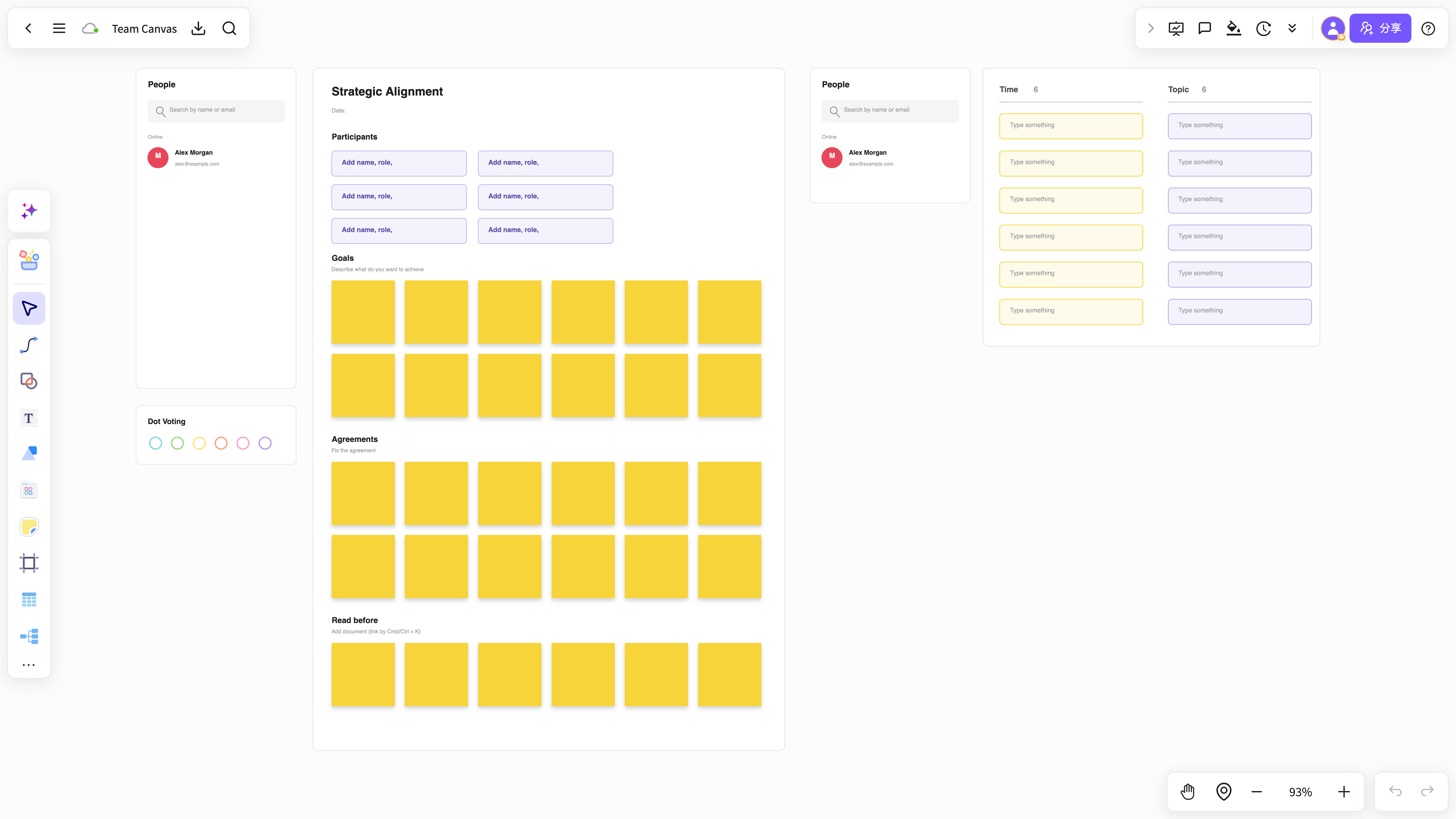
Turn meeting notes, requirement drafts, and conclusions into maps and flows the team keeps refining.
Whiteboard content becomes mind maps, flowcharts, and project materials with comments and versions intact.
AI helps teams turn collaboration into outcomes
Go beyond faster notes by keeping discussion, organization, synthesis, and follow-through in one space.
Business workshop
Help teams map issues, add notes, synthesize perspectives, and move quickly into action planning.
Start free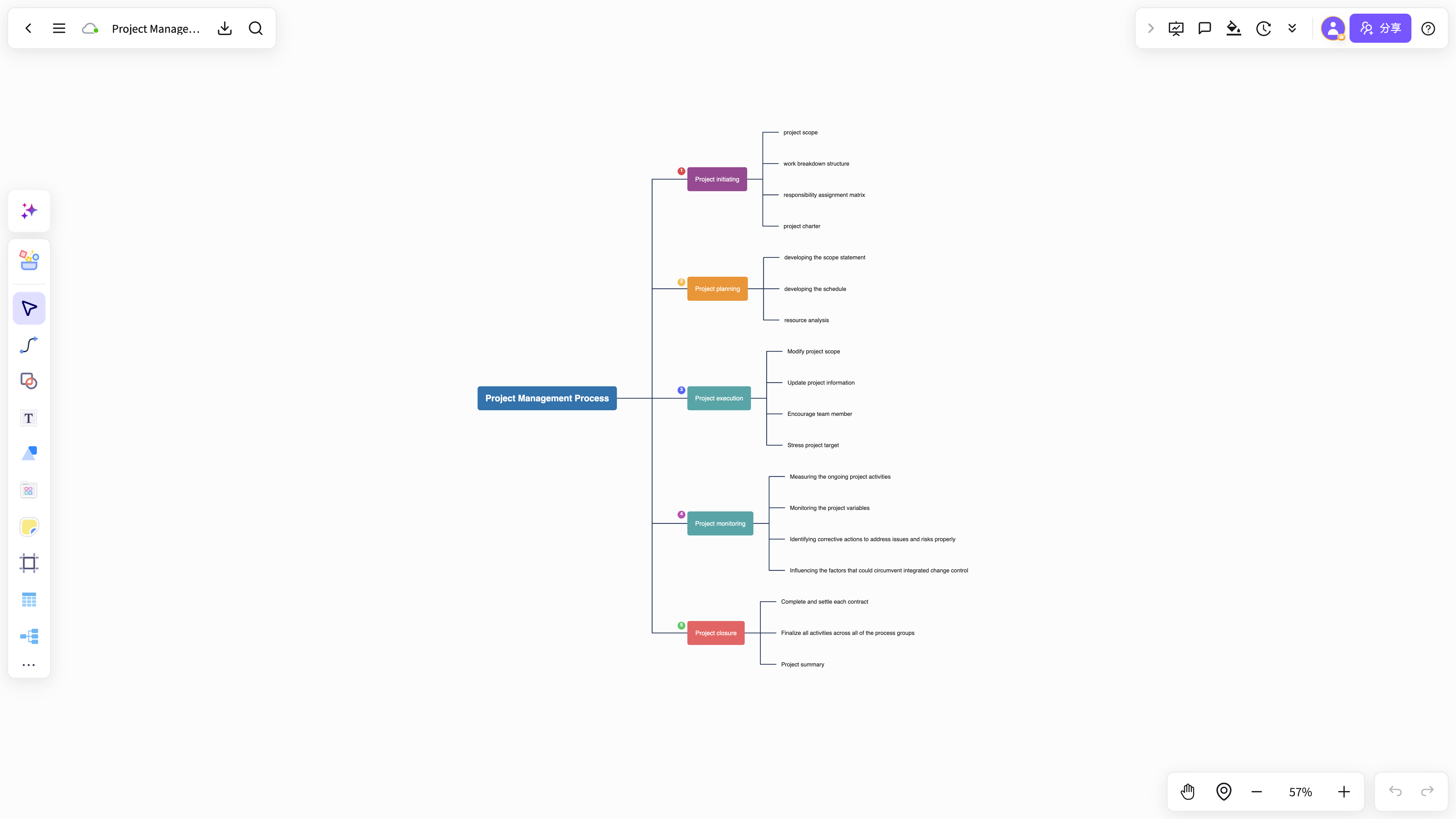
Build team workflows
Move from requirements and task breakdowns to retrospectives along one visual workflow.
Start freeCustom team showcases
Consulting, product, operations, and research teams can turn co-creation into clear presentation pages.
Start free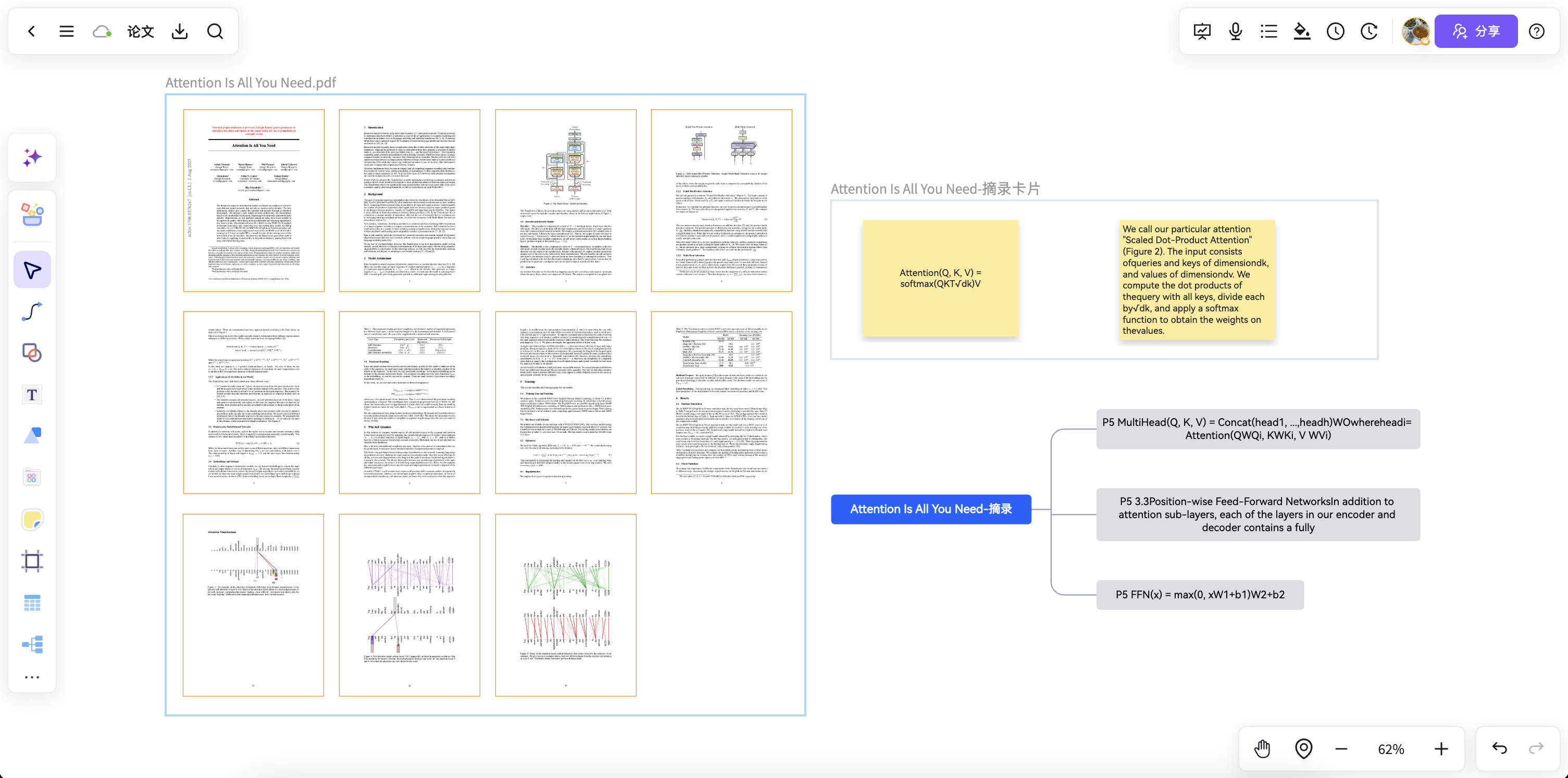
Team discussions suffer when information is scattered. NuromBoard keeps meeting notes, research fragments, and whiteboard outcomes together for easier reviews and delivery.
Lena WangConsulting project managerWe used to move content between documents, spreadsheets, and whiteboards. Now we co-create first and organize later, so the team moves with much more clarity.
EdwardBusiness consultantMore capabilities for effective teamwork
Connect co-creation, member collaboration, knowledge capture, and presentation delivery for sustainable teamwork.
See content additions, moves, and organization in real time for more natural discussions.
Keep commenting, adding, and moving work forward even when the team is not in the same meeting.
Manage member roles, team spaces, and content access across collaborative work.
Turn proven processes, project structures, and co-creation templates into team assets.
Turn co-created outcomes into visuals for walkthroughs, reports, and retrospectives.
Keep discussions from becoming post-meeting screenshots by turning them into project knowledge on the same working file.
Dedicated deployment with stronger security and access control
Built for teams and organizations that care about knowledge assets, workspace governance, and compliance.
Account and member management
Workspace-level access control
Dedicated deployment options
Data permissions and audit
Keep working from the same structure
Turn temporary co-creation into a lasting shared working file so every discussion can move forward after the meeting.
Try it nowTeam collaboration efficiency FAQ
Answers about workflows, collaboration, and structure that lasts after the meeting.
What is Team collaboration efficiency useful for?
Team collaboration efficiency helps with brainstorming, planning, business analysis, project work, and team collaboration when ideas and materials need to become a clear, editable result.
Why use NuromBoard for Team collaboration efficiency?
NuromBoard turns documents and meetings into editable structures on one shared working file — so Team collaboration efficiency moves from a draft into something the team keeps refining after the session.
Does Team collaboration efficiency support team collaboration?
Yes. Teams edit together, leave feedback, share work online, and review versions on the same working file so discussion and decisions stay connected after the meeting.
Do consultants and teams use it for client work?
Yes. Consultants use Team collaboration efficiency alongside frameworks like SWOT, PEST, and competitor analysis to structure findings and present recommendations, and teams can invite clients to review the same shared working file.